Admin commands
You may have already noticed this button on your workspaces page:
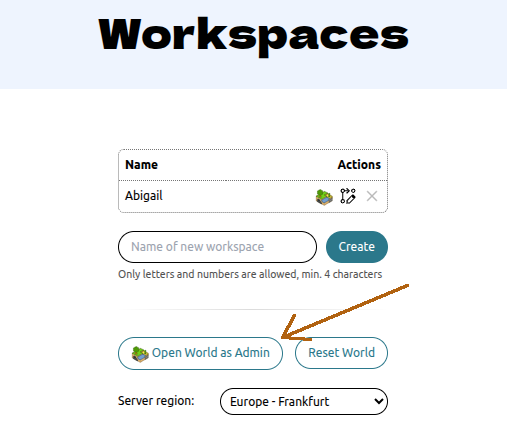
It will open the world as a special user with administrative privileges.
All players in minetest can press / and type a command, but some
commands need a “privilege” for the player before it is allowed.
For example, a new player on your server can try /teleport [yourname] but the server will reply “You don’t have permission to run this command
(missing privileges: teleport)“.
If you want, use the admin account to grant this privilege: /grant [playername] teleport. Then, have the player press / and then
up-arrow, this cycles through previous commands. Now you will see the same
teleport command works.
Teleport commands
To teleport yourself to a player’s location, use:
/teleport [yourname]To teleport another player, you need another privilege called bring.
First you write the name of the player you will move, and then the name of the player whose location you want to use:
/teleport [player_to_move] [location]Or, location can also “coordinates”, a series of 3 numbers shown in
the top-left of the screen, between () after “pos”. If you don’t see these,
press F5 until it says “debug info shown”:

For example, /teleport 200 100 50 will teleport you to that location.
If you find the screen is black, try increasing the middle number - since
that is the height, hopefully it can get you above the mountain or hill
which you accidentally teleported into!
Waypoints
Players can also use Waypoints, which have the benefit of a menu. Press I and then click the map icon:
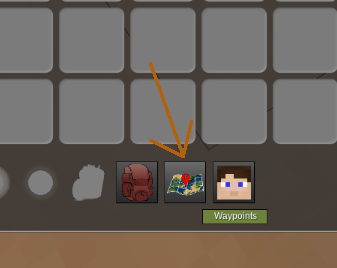
There are 5 waypoints you can set to your current location and give a name to.
Items
While you have your inventory open, you can see items on the right. If you click one, it will show a recipe to craft this item from other items, each of which can be clicked in turn to piece together a crafting plan:
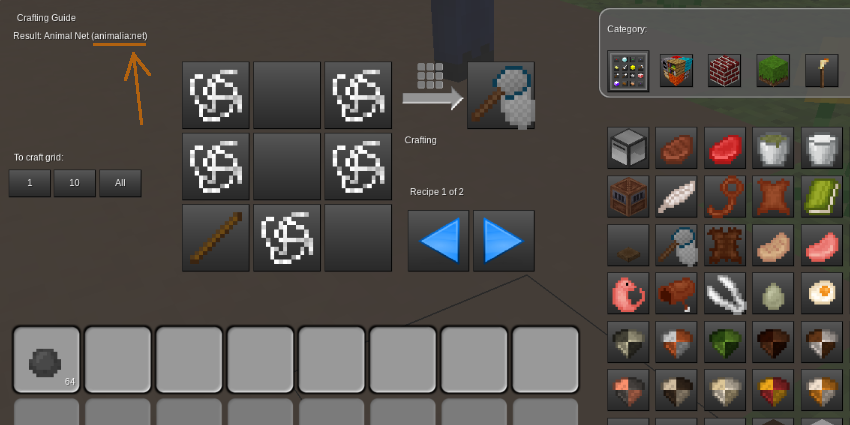
Notice also the item ID given in the top-left. If you have the give permission,
you can use /giveme [item_id] to give yourself items, or /give [playername] [item_id] to give to other players.
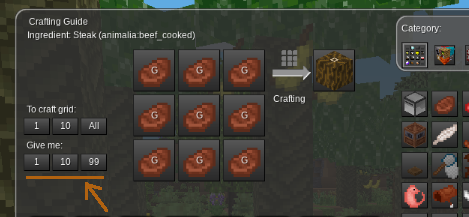
The admin does not have the give permission by default! But you can easily do /grantme give to set that right. Afterwards, you also gain these “Give me:”
buttons:
AdaBots bot commands
You can move all bots nearby and have them stop listening with:
/adabots_bot_cmd all bring
/adabots_bot_cmd all stoplisten
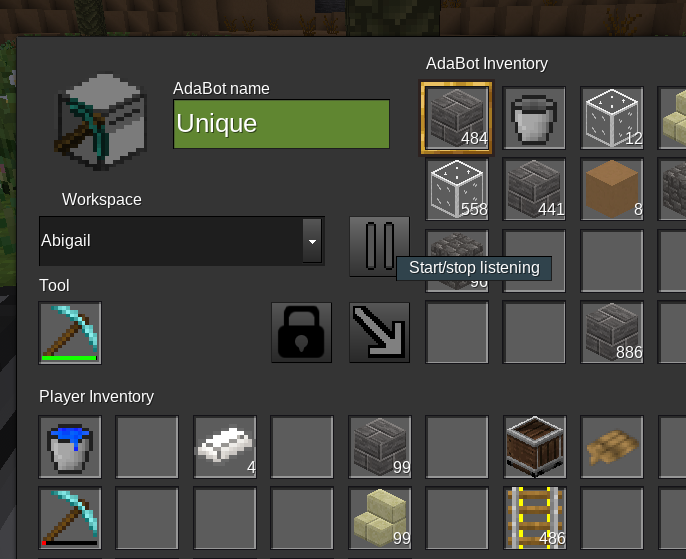
If two bots are listening at the same time to the same workspace, your programs
will go wrong because one bot might accept the first instruction while another
accepts the second. If you are in doubt if there is another bot intercepting
commands, try giving the bot you want to instruct a unique name, and then put
that name into your program as a parameter to Create_Turtle, for example:
with Adabots;

procedure Test is
   Bot : constant Adabots.Turtle :=
     Adabots.Create_Turtle ("Unique");
begin
   Bot.Up;
   Bot.Down;
end Test;
Be sure to click stop and then start listen after changing the bot’s name, so that the rename works:
Now you should know enough to zip around the map and give yourself or others infinite resources. Use this knowledge wisely.