Practical programs for getting around
I will share with a few simple programs you might need to
get unstuck. If you are stuck in front of a chasm, and your
admin hasn’t given you the fly permission (press K to toggle
flight-mode), then you may need this program to get across,
assuming your bot has some building materials already selected:
cross_gap.adb
with Adabots;

procedure Cross_Gap is
   Bot : constant Adabots.Turtle := Adabots.Create_Turtle;
begin
   loop
      exit when not Bot.forward;
      exit when Bot.Detect_Down;
      Bot.maybe_Place_Down;
   end loop;
   Bot.maybe_Place_Down;
end Cross_Gap;
As you can see, while it is running, we can still press movement buttons on the bot, so we can make the bridge go up one block:
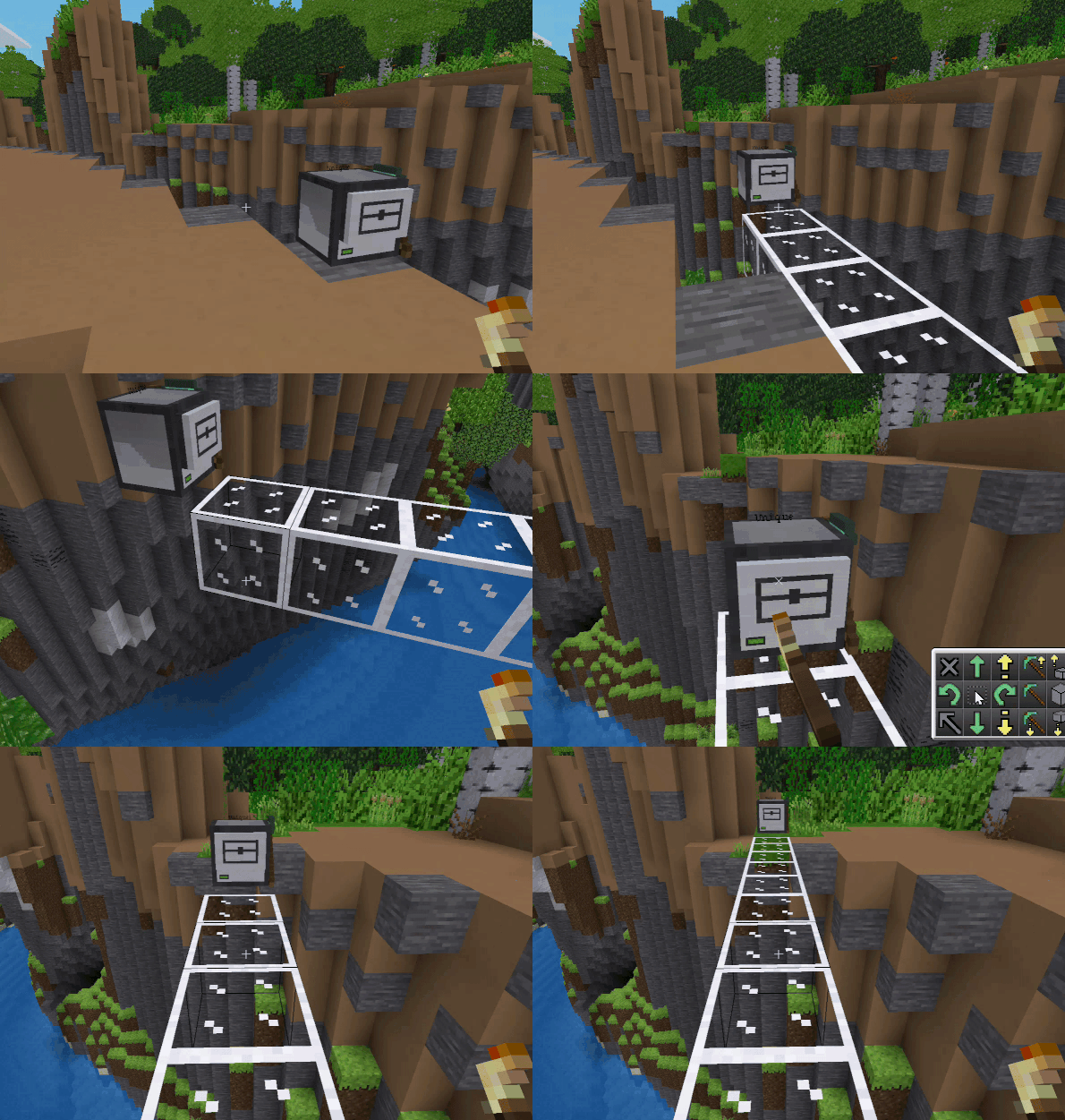
But if we want to get really high, we should make either a straight staircase:
build_staircase_up.adb
with Adabots;

procedure Build_Staircase_Up is
   Bot : constant Adabots.Turtle := Adabots.Create_Turtle;
begin
   loop
      Bot.Up;
      Bot.Forward;
      Bot.Place_Down;
   end loop;
end Build_Staircase_Up;
Or a spiral-shaped staircase if we want to straight up:
spiral_staircase_up.adb
with Adabots;

procedure Spiral_Staircase_Up is
   Bot : constant Adabots.Turtle := Adabots.Create_Turtle;
   I   : Integer                 := 0;
begin
   loop
      Bot.Place;
      Bot.Up;
      Bot.Forward;
      I := I + 1;
      if I mod 3 = 0
      then
         Bot.Turn_Right;
      end if;
   end loop;
end Spiral_Staircase_Up;
Re-useable programs
So far, we have listed programs which use an infinite loop.
Hopefully you remembered the earlier instructions to use Cntrl-C in the terminal to close the program from the code side,
or you opened up the bot’s menu inside minetest and pressed
stoplisten - the running program terminates if it does not get
a response within a few seconds from a bot, so this works as well.
However, an advantage of programs that stop on their own - finite programs, that is, is that we can re-use one program from inside another one quite easily. For example, here is a program that selects glass, no matter where it is in the bot inventory:
select_glass.adb
with Ada.Strings.Unbounded;
with Ada.Text_IO;
with Adabots;

procedure Select_Glass is
   Bot : constant Adabots.Turtle := Adabots.Create_Turtle;

   procedure S is
      Item : Adabots.Item_Detail;
      use type Ada.Strings.Unbounded.Unbounded_String;
   begin
      loop
         for I in Adabots.Turtle_Inventory_Slot'Range loop
            Item := Bot.Get_Item_Detail (I);
            Ada.Text_Io.Put (Ada.Strings.Unbounded.To_String (Item.Name));
            if Item.Name = """default:glass"""
            then
               Bot.Select_Slot (I);
               return;
            end if;
         end loop;
         delay 5.0;
      end loop;
   end S;

begin
   S;
end Select_Glass;
We can run this program as usual, but we can also use with Select_Glass; and then call Select_Glass.
So, if we wanted to specifically build using glass across a gap, we might write a tiny program that just calls those two, for example:
across_with_glass.adb
with Select_Glass;
with Cross_Gap;

procedure Across_With_Glass is
begin
   Select_Glass;
   Cross_Gap;
end Across_With_Glass;
Note that you will need to add with Adabots; if your program also contains
bot commands itself.
Packages
But, what about if you want to pass parameters? For example, let’s modify the
earlier staircase program to take two parameters, one for the botname, and another
for the height of the stairs to build. To do this, we need to define a “package”,
and we will need, in addition to an .adb file (adb stands for Ada Body) with the
implementation of the procedure, we also need a specification file ending in .ads.
staircases.ads
package Staircases is

    procedure Spiral_Staircase_Up (Bot_Name : String; Height : Positive);

end Staircases;
Usually I copy the specification file (cntrl-A, then cntrl-C, then create a new
file and do cntrl-V) into the body, and then add the word body after package:
staircases.adb
with Adabots;

package body Staircases is

    procedure Spiral_Staircase_Up (Bot_Name : String; Height : Positive) is
        Bot : constant Adabots.Turtle := Adabots.Create_Turtle (Bot_Name);
        I   : Integer                 := 0;
    begin
        loop
            exit when I = Height; -- new! terminate loop on reaching Height
            Bot.Place;
            Bot.Up;
            Bot.Forward;
            I := I + 1;
            if I mod 3 = 0 then
                Bot.Turn_Right;
            end if;
        end loop;
    end Spiral_Staircase_Up;

end Staircases;
Now we can call this from another program like so:
staircase_platform.adb
with Adabots;
with Staircases;

procedure Staircase_Platform is
   Bot : constant Adabots.Turtle := Adabots.Create_Turtle;
begin
   Staircases.Spiral_Staircase_Up (Bot_Name => "", Height => 4);
   for I in 1 .. 4 loop
      Bot.Forward;
      Bot.Place_Down;
   end loop;
   Bot.Turn_Right;
   Bot.Forward;
   Bot.Turn_Right;
   for I in 1 .. 4 loop
      Bot.Place_Down;
      Bot.Forward;
   end loop;
end Staircase_Platform;
Note I have used parameter_name => [value]; it is best practice to
name the parameters when you call a procedure or function, but Spiral_Staircase_Up ("Unique", 6); also works.
As an exercise for the reader, try adding the straight staircase to your new staircases package and using that from another program.