Walls
Let’s make a wall. To place a block, we write:
Bot.Place;Since that places the block directly in front of the bot, we won’t be able to move forward afterward. We could use a whole bunch of instructions to get the bot to the other side and continue building, but it’s much simpler to just build while moving backwards.
Let’s make a loop to repeat the instructions. When the program
encounters an end loop it goes back to the start of the loop,
so the program below will just build and walk backwards 3 times:
for I in 1 .. 3 loop
   Bot.Back;
   Bot.Place;
end loop;
To build a wall 2 blocks high, we should first place above the bot, then move back, and then place in front of us, and do that in a loop.
The variable, called I, will have the value 1 for the first iteration,
2 for the second, and 3 for the third. We don’t actually use the value
in this case, so you can ignore that for now and just use this pattern
when you want to repeat the same steps a set number of times.
We will learn more about variables later.
Your program should look like this so far:
with Adabots;

procedure Wall is
   Bot : constant Adabots.Turtle := Adabots.Create_Turtle;
begin
   for I in 1 .. 3 loop
      Bot.Place_Up;
      Bot.Place_Down;
      Bot.Back;
      Bot.Place;
   end loop;
end Wall;
Try building and running this, and you should see the bot build a wall 3 blocks high and 3 blocks long. This will be the starting point for our house.
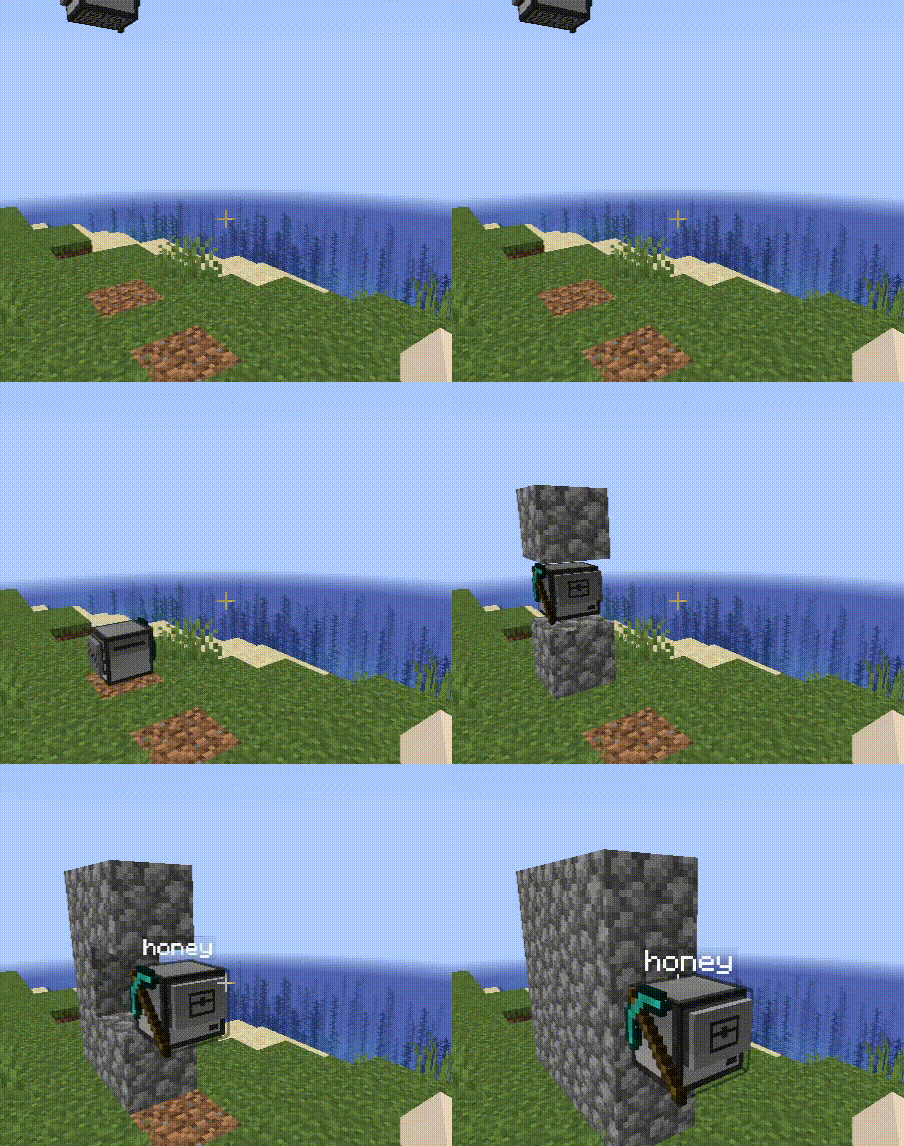
If the looping video looks strange to you, don’t worry about that. It’s from an early prototype of AdaBots running inside Minecraft rather than Luanti (Minetest), so everything looks a little different.